View your rate limits in the 0x Dashboard
Last updated: October 23, 2026
You can now see the rate limit for each of your apps directly in the 0x Dashboard. This shows the requests-per-second (RPS) ceiling currently applied to each API key, so you can confirm your throughput at any time without reaching out to the team.
Where to find your rate limits
Log in to the 0x Dashboard.
Open Settings.
Select the app you want to check. Its current rate limit is shown there.
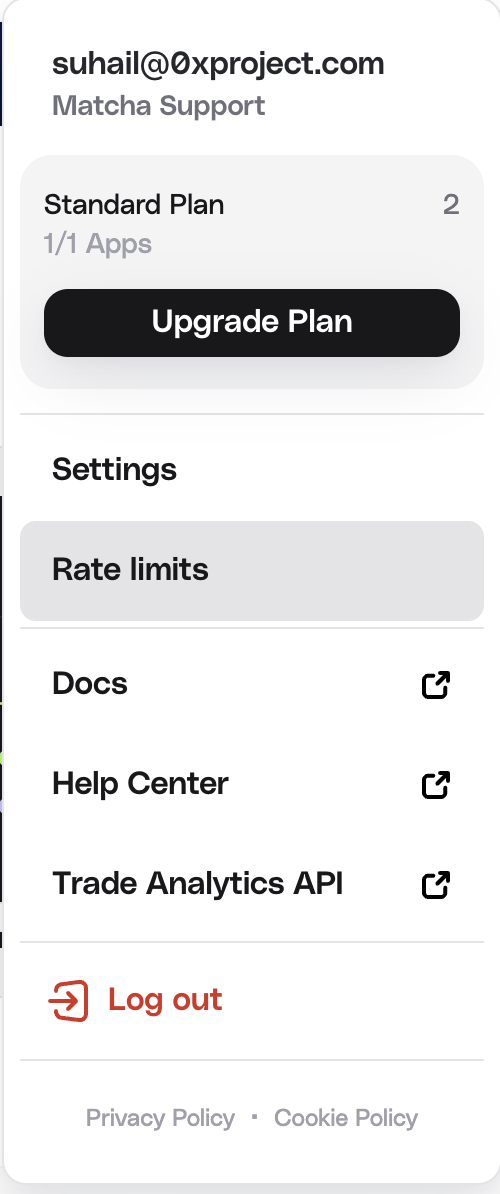
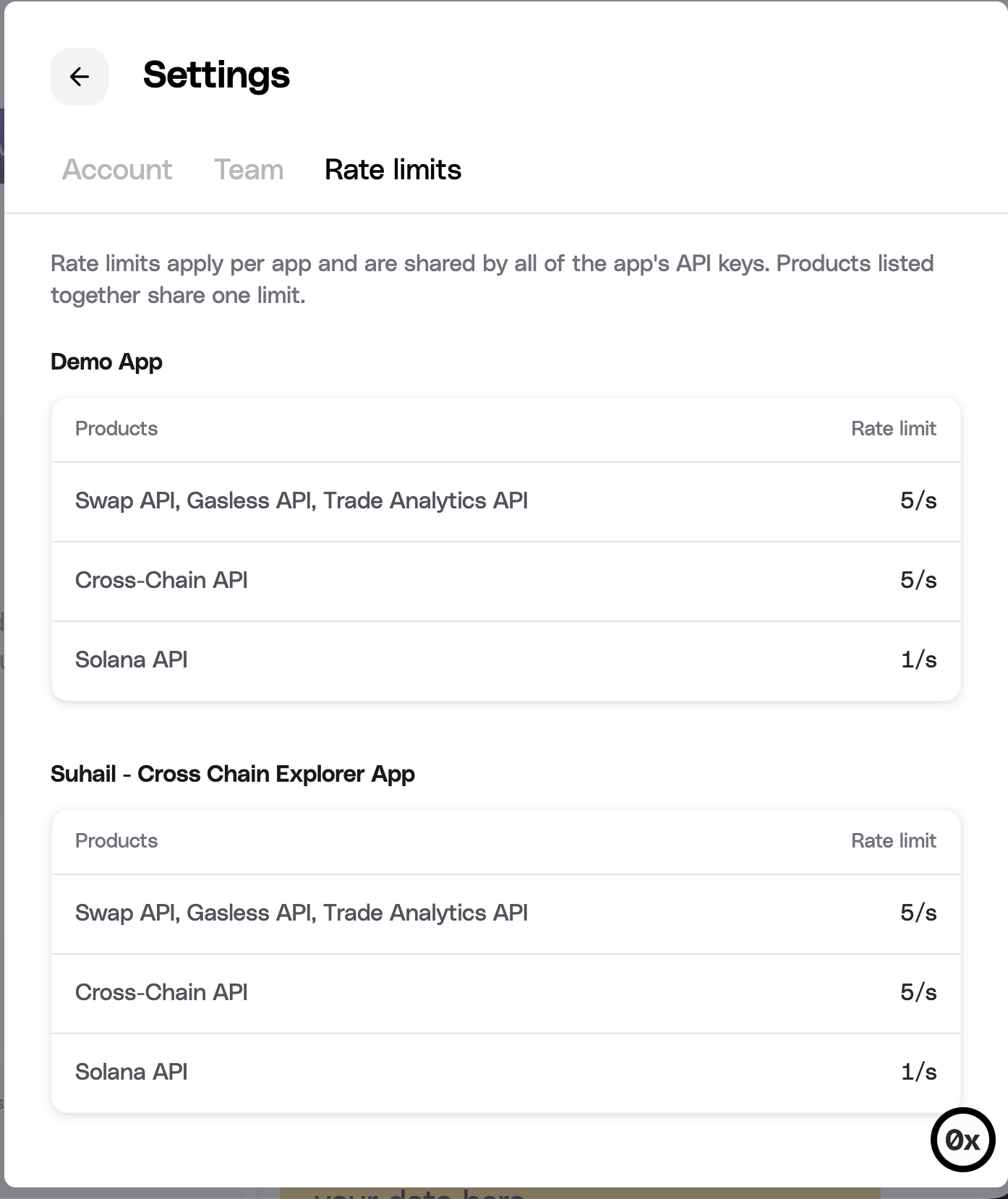
Rate limits are set per app, so if you run more than one app, each has its own limit. Apps on the Standard plan show approximately 5 RPS, shared across all 0x API endpoints.
What the rate limit means
Your rate limit caps how many requests an app can make in a one-second window, counted across all endpoints combined. Requests over the limit are rejected and need to be retried. For how the limit is calculated and tips on handling it cleanly in production, see Rate Limits.
Need higher throughput? Consider a Custom plan
If an app is consistently hitting its limit, that is usually a sign you have outgrown the Standard plan. The Custom plan is built for high-volume teams and supports much higher throughput (teams running 100+ RPS are supported), along with volume-based discounts, dedicated technical and account support, and flexible terms for non-standard business models.
To explore a Custom plan, contact us and the team will size the right throughput and terms for your usage. For a full comparison of plans, see Account Tiers and How to Upgrade.
Related articles